How to make family tree wall art
Plan your family branches, measure your wall, print a full-size family tree template, and transfer the design for painting at home.
1. Plan the people and the wall together
Start with a list of names and actual parent-child relationships. Decide which generations you want on the wall and whether each person needs a photo, a name, or both. Check spellings with family members before preparing a final template. Wall Family Tree supports up to 30 people; it draws the connections you enter and does not research your ancestry.
Measure the clear wall area above baseboards and around doors, switches and furniture. A tree that fits the wall can still feel crowded once frames are added. Place paper rectangles representing your frames on the wall first, and check the arrangement from across the room. Keep the design measurements separate from the full wall measurements.
If your family includes half-siblings, adopted children or multiple partnerships, plan the separate family branches before choosing the decoration. A biological and an adoptive connection can both belong in the tree without merging unrelated sibling groups.
2. Choose a botanical style
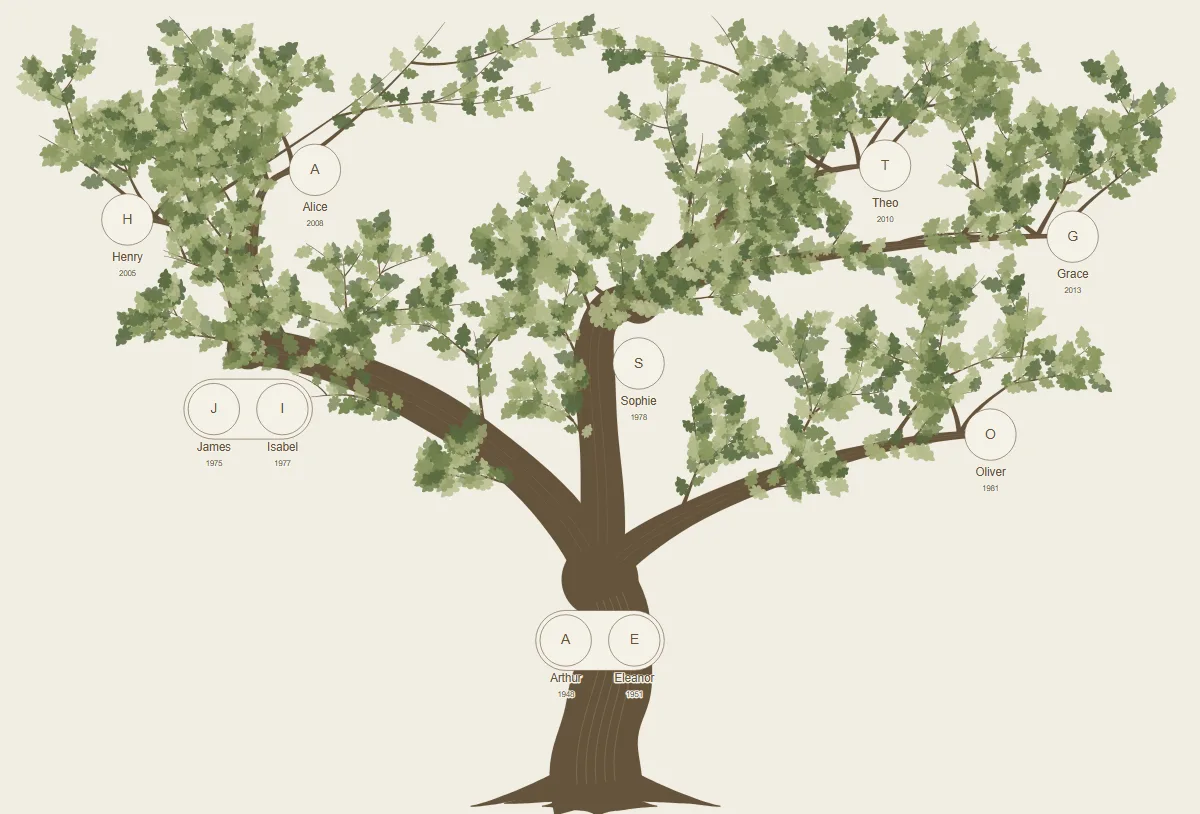
Classic Oak
A fuller canopy and substantial branches suit a prominent family wall. Leave enough open space around portraits so foliage does not dominate small names.
Olive
Slender leaves and softer curves give the same family structure a lighter feel. Try it against warm neutral walls and simple frames.
Minimal Botanical
Sparser decoration keeps attention on names and relationships. It is a useful starting point if you prefer a restrained design or want fewer painted details.
Cherry Blossom
Soft five-petal flowers and slender walnut-colored branches give portraits a light, romantic setting. The curated rose palette works particularly well with pale mats and simple oval frames.
Folk Garden
Sweeping teal branches, curling shoots and generous leaves in terracotta and muted gold create a more expressive tree. Keep wildlife small and framing consistent so the faces remain the focus.
Ink & Paper
Fine dark limbs, sparse foliage and brushlike edges offer a quiet monochrome direction. Try charcoal frames and black-and-white portraits for a collected gallery feel.
A child at the heart of the tree
Choose People around me in Style or Customize to put a child at the lower center of a canopy. Every person you add is included, with equal frame sizes. Aunts, uncles, cousins, grandparents and caregivers can all belong; the branches express belonging rather than parentage. The Family circle offers an alternative with the focal person in the center.
Add a label such as “Aunt Lena” and an optional family group in person details. Groups keep people together in the display order. “Other loved one” adds a person without inventing an ancestry connection. Your actual parent and partner links remain available in the Family graph.
For exact genealogy, choose Our ancestry. Add an aunt or uncle as a sibling of the appropriate parent, through their shared parents; cousins belong under their own parents. Do not put lateral relatives on an ancestor line. FamilySearch’s chart guidance distinguishes ancestor views from views that expand to siblings and their descendants.
Agree on the roster before drawing the wall: whether “all aunts and uncles” includes their partners, great-aunts and great-uncles, or people known by those names affectionately. A self-defined family circle can include the people who matter to you without ranking their importance.
Faces first, foliage second
Choose one frame finish and a repeated shape. Mat width creates a quiet border within the outer frame dimensions. Use individual crop controls to match head sizes and eye lines; a distant group photo beside a close-up portrait creates an accidental hierarchy. Natural color, black-and-white and soft sepia treatments affect the display copy, not the stored upload.
For a starting point, trial 13 × 18 cm or 15 × 20 cm photo prints with their actual outer frames. Framebridge recommends 2–3 inches between frames in a grid; a tree needs more space at some branch curves. This is a starting point, not a mural rule. Check faces at the distance from which your family will actually view them.
Six outer frames each 20 cm wide with five 6 cm gaps already need 150 cm before adding side margins or spreading branches. If a tree gets crowded, enlarge the design, use a more open layout, or split the display into companion trees. Shrinking every portrait usually makes the wall less rewarding to look at.
The Room to grow control reserves open edges in a belonging layout. Keep a matching frame specification, paint colors, the project backup and portrait originals for later additions. Unknown portraits can remain dignified name-and-initial spaces; a deceased relative can stay in the same frame system as everyone else.
What the real examples teach
Michelle Mayden’s painted family wall coordinates branch and frame colors. Corie Hinton’s Tree of Life leaves deliberate spaces for portraits; its photo-filled example is a digital proposal. These are design precedents, not evidence that one style is most popular.
Light, mounting and treasured photographs
View a sample frame in daylight and evening light to check reflections. Display copies of important photographs and keep originals stored safely, as recommended by the National Archives. A printed template is a placement and tracing guide; it does not support real frames.
Choose fixings for the actual wall, frame weight and location. Follow the exact product instructions for paint cure and surface preparation. Command’s picture-hanger instructions, for example, exclude use over beds and on wallpaper. A decal’s adhesive claims should not be applied to a separate frame mount.
Explore these choices in the editor
3. Print a full-size family tree template
A home printer can produce a large wall design by dividing it into numbered A4 or A3 pages. A tiled template is different from shrinking the whole tree to one sheet: each page contains a small portion at the intended physical size.
| Format | Best use | Check before printing |
|---|---|---|
| A4 tiled PDF | Most home printers | More sheets to align and tape |
| A3 tiled PDF | An A3 printer or local copy shop | Fewer sheets, but larger paper is required |
| Full-size PDF | A large-format print shop | Ask the shop to preserve the exact dimensions |
| SVG | A print provider accepting vector artwork | Confirm physical units and software compatibility first |
For a 260 × 180 cm design, the current tile planner produces 128 A4 template sheets or 55 A3 template sheets, plus an assembly map and instructions. Paper and ink costs can be significant for a large tree. Compare that cost with a print-shop quote before committing.
- Choose the PDF paper size that matches the printer.
- Select 100% / Actual Size. Turn off “Fit to Page” or “Shrink oversized pages.” Print single-sided.
- Print one page first and measure the 100 mm calibration line with a ruler. It must measure 100 mm before you print the rest.
- Use the assembly map, page numbers, overlap guides and registration marks to align the sheets. Keep the intended overlap; do not simply line up the paper edges.
- Lay the assembled template flat and check its total dimensions against your wall plan.
The full-size PDF export supports designs up to 508 cm per side. For larger designs, discuss SVG output with your printer. This is a tracing template; cutting-machine or ready-to-cut stencil compatibility is not guaranteed.
4. Transfer the outline, then paint
Gather the printed template, a ruler or tape measure, low-tack painter’s tape, graphite transfer paper, a pencil and suitable wall paint and brushes. Test the transfer paper and tape on an inconspicuous area first. Wall texture, paint finish and drying time affect the result.
Position the template using your wall measurements. Tape it securely, place transfer paper underneath a manageable section, and trace the outlines with light pressure. Lift a corner to check the transfer before moving on. Remove the paper and paint in stages, following the paint manufacturer’s drying guidance.
Large murals and detailed foliage may take several sessions. Start with the trunk and main branches; add finer details after the base has dried. Check the final portrait positions before mounting frames, and use fixings appropriate for your wall and the frame weight.
What does the digital kit include?
The planned €19.90 digital kit includes a master SVG, a full-size PDF, A4 or A3 tiled tracing templates, an assembly map and printing instructions. Design and preview are planned to be free. The designer is currently in private testing, so public purchases and downloads are not yet available.
This is a digital design product. It does not include a shipped poster, vinyl decal, paint, photo frames, printing or installation. The kit uses the design saved at checkout; after changes, prepare a new order so the files match the latest names and layout.
Can I make this as a gift?
A personalized family wall can be a project for grandparents, an anniversary or a new home. Ask the recipient about wall size and style first, and confirm names and family connections together. For a surprise, a small printed mockup can communicate the idea before anyone commits to painting a wall.